Discord Integration
Connect ProductBridge to Discord to capture feedback via the /productbridge slash command, and send notifications about new feedback, status changes, and vote milestones to designated channels.

Where to find it
Open Discord in ProductBridge
Sidebar → Connect Sources → Discord
Direct link: https://app.productbridge.io/dashboard/settings/integrations/discord
In-app path: Sidebar → Connect Sources → Discord
Requires: integration:view to see the integration, integration:manage to connect or disconnect it.
All integrations: https://app.productbridge.io/dashboard/settings/integrations
Overview
The Discord integration connects ProductBridge to your Discord server so your community can submit feedback directly with a simple slash command — and your team gets real-time notifications about feedback activity in the channels you choose.
Unlike messaging integrations that listen passively, Discord uses an explicit, opt-in flow: members run the /productbridge slash command, fill in a simple form, and ProductBridge captures the feedback with high confidence. There's no ambient channel monitoring or guesswork.
The integration also supports outgoing notifications — pushing updates about new feedback, status changes, vote milestones, comments, changelog releases, new roadmap posts, and roadmap status updates into the Discord channels of your choice.
Prerequisites
-
A Discord server where you have Manage Server permission (required to install bots)
-
A ProductBridge organization with at least one feedback board
-
Permission to add a bot with
applications.commandsand basic message scopes to your server
Connect Discord
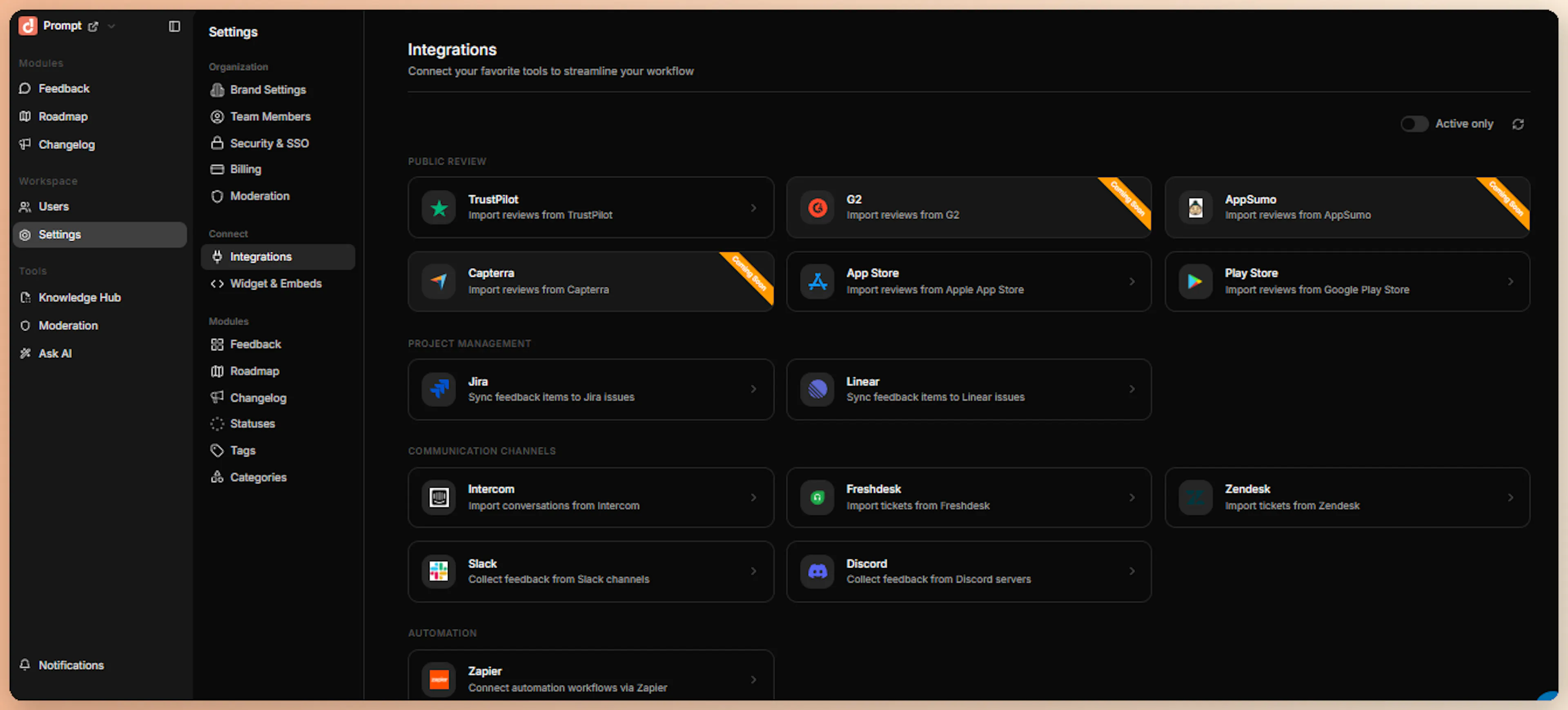
Open the Admin Dashboard
Sign in to your ProductBridge dashboard, click Connect Sources in the sidebar, and select Discord.
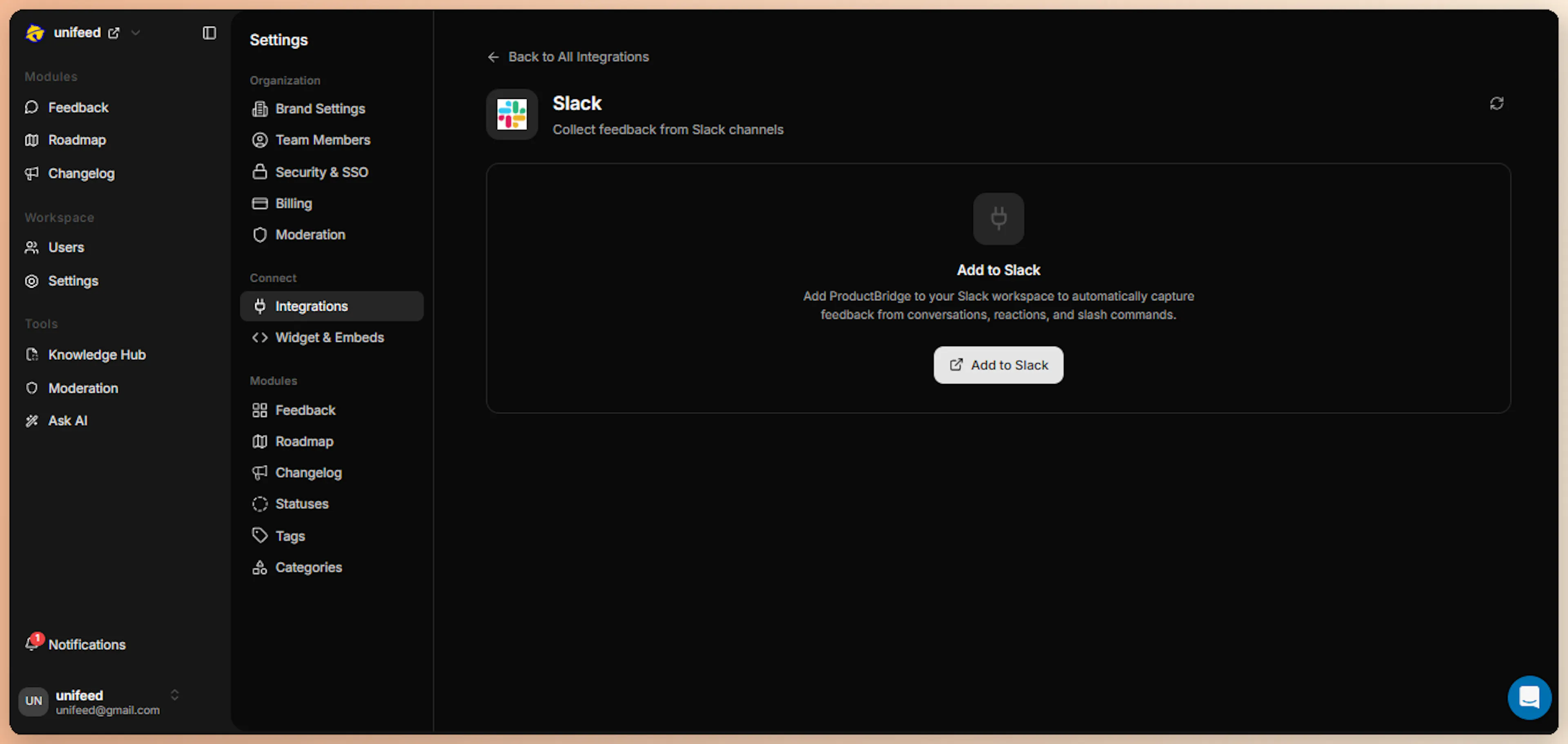
Click Add to Discord
On the Discord integration page, click the Add to Discord button. ProductBridge initiates the Discord OAuth flow and redirects you to Discord's authorization screen.
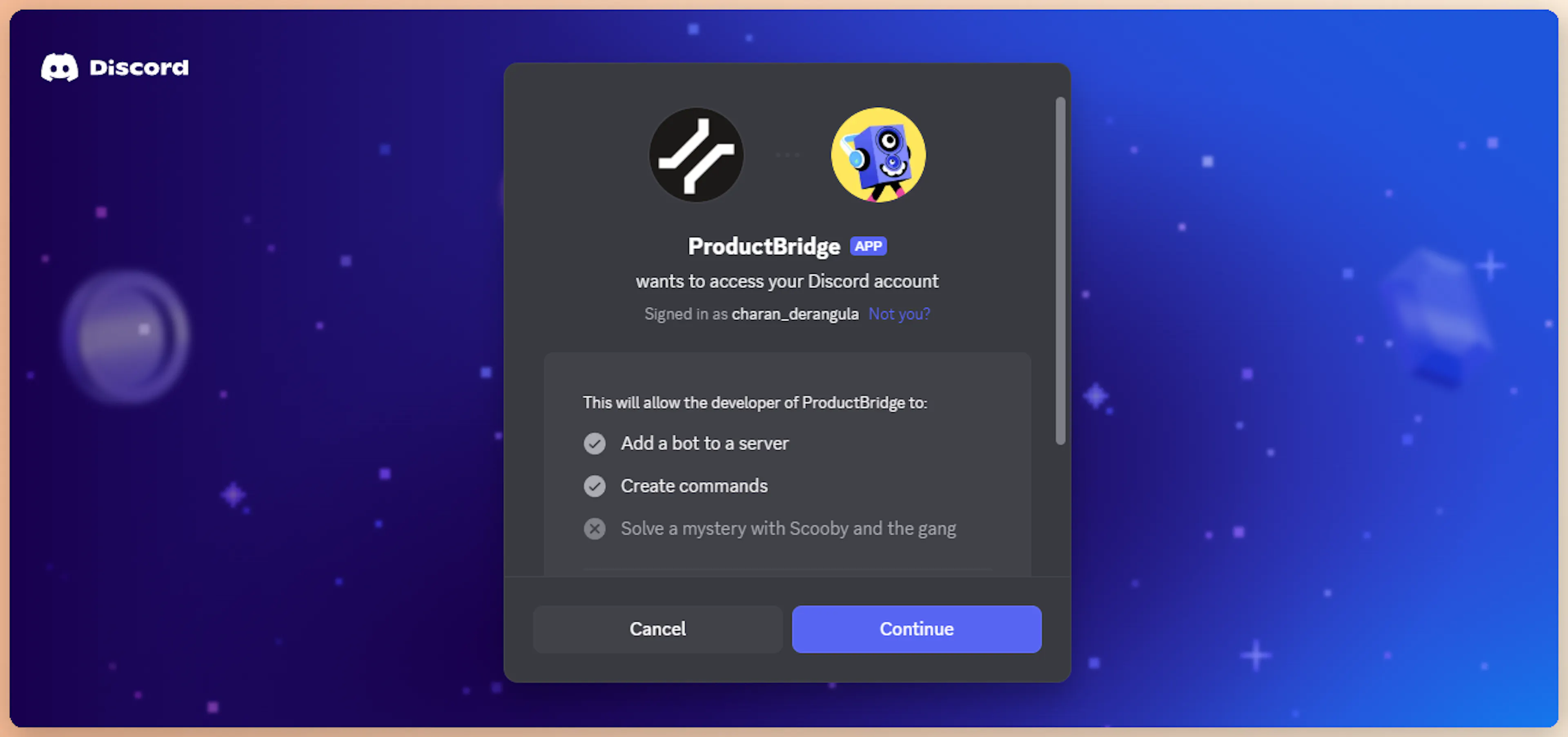
Authorize ProductBridge in Discord
On Discord's OAuth screen, choose the server where you want to install the ProductBridge bot. Review the requested scopes and permissions:
| Scope / Permission | Used For |
|---|---|
bot | Add the ProductBridge bot to your server |
applications.commands | Register the /productbridge slash command |
| View Channels | List available text channels for notifications |
| Send Messages | Post notifications and confirmations |
| Embed Links | Render rich embed cards for feedback updates |
Click Authorize to install the bot in your selected server.
Confirm Installation
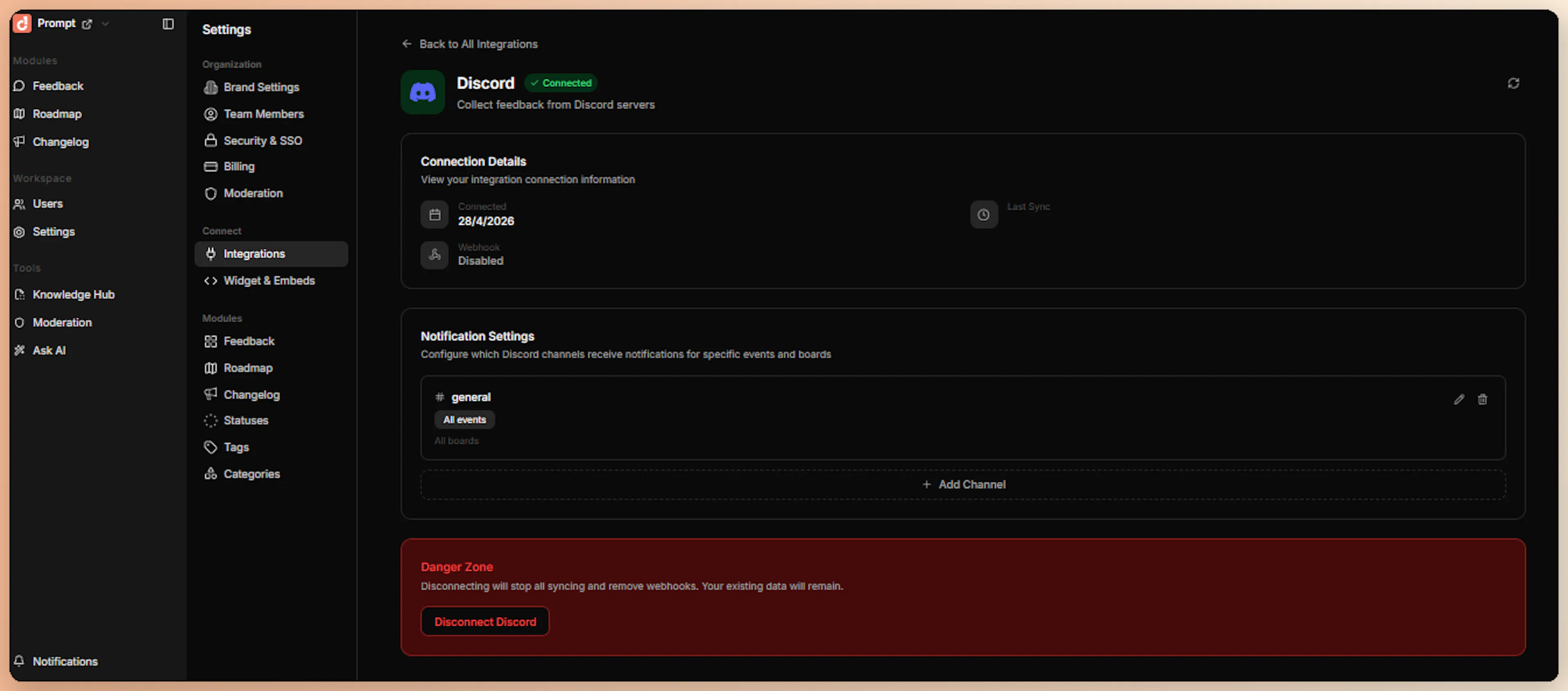
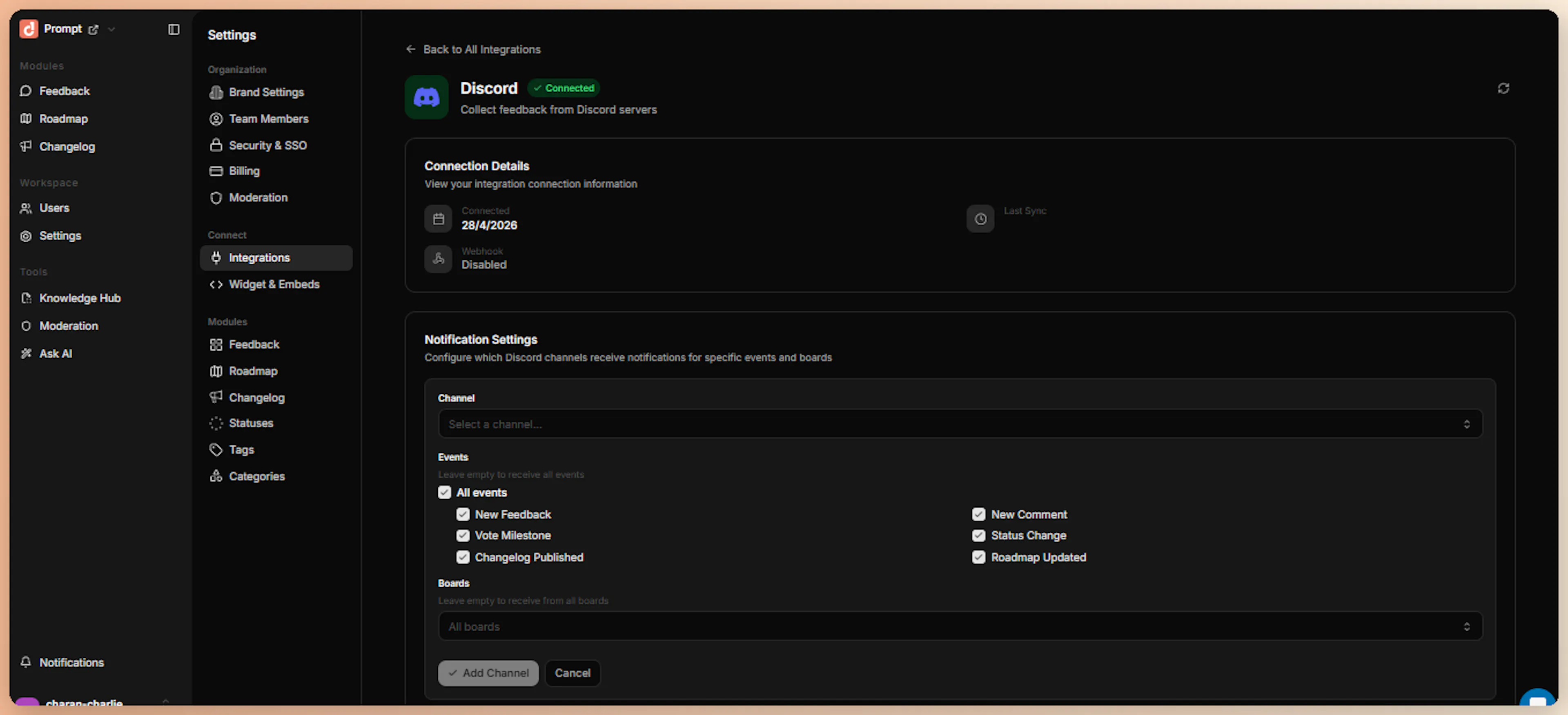
After authorization, Discord redirects you back to ProductBridge. The integration status updates to Connected, and the page now displays your server name, server ID, and the registered application ID. From this page you can also configure notification channels — subscribe each channel to the ProductBridge events you care about, and subscribe the same event to multiple channels if needed.
Behind the scenes, ProductBridge:
-
Encrypts and stores the bot token
-
Registers the
/productbridgeslash command on your server -
Wires the interaction endpoint so Discord can deliver events
What Happens After Install
Immediately after connection:
-
The ProductBridge bot appears in your server's member list
-
The
/productbridgeslash command is available in every channel the bot can see -
The interaction endpoint is registered with Discord — feedback submissions are processed in real time
-
A confirmation appears in the ProductBridge admin UI showing your guild name and member count
Submit Feedback from Discord
ProductBridge uses a single, explicit feedback path: the /productbridge slash command. There is no ambient channel monitoring, no emoji-reaction capture, and no @mention listener — Discord feedback is always opt-in by the user.
Run the Slash Command
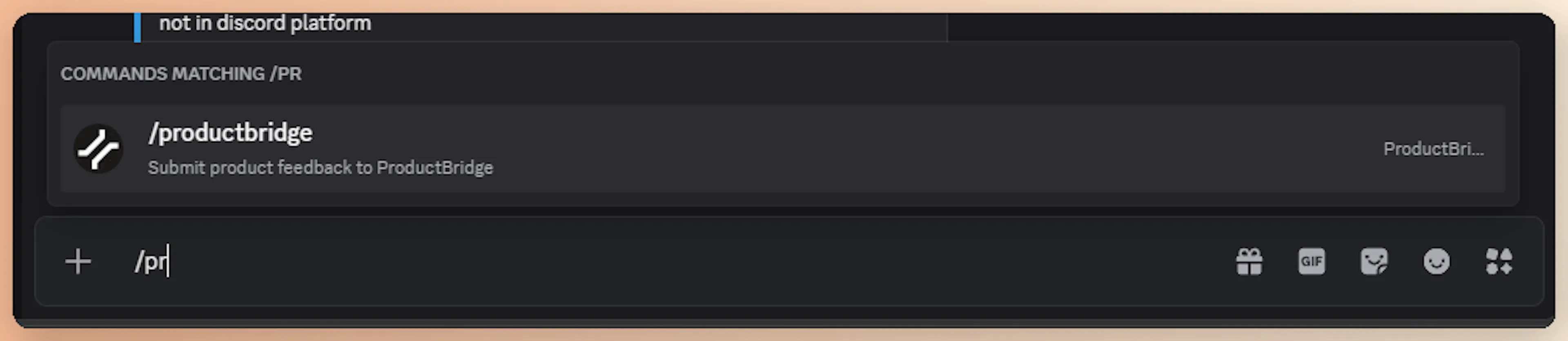
In any channel where the ProductBridge bot is present, type /productbridge and press Enter.
Discord shows a small autocomplete preview as you type — the official /productbridge command appears with a description.
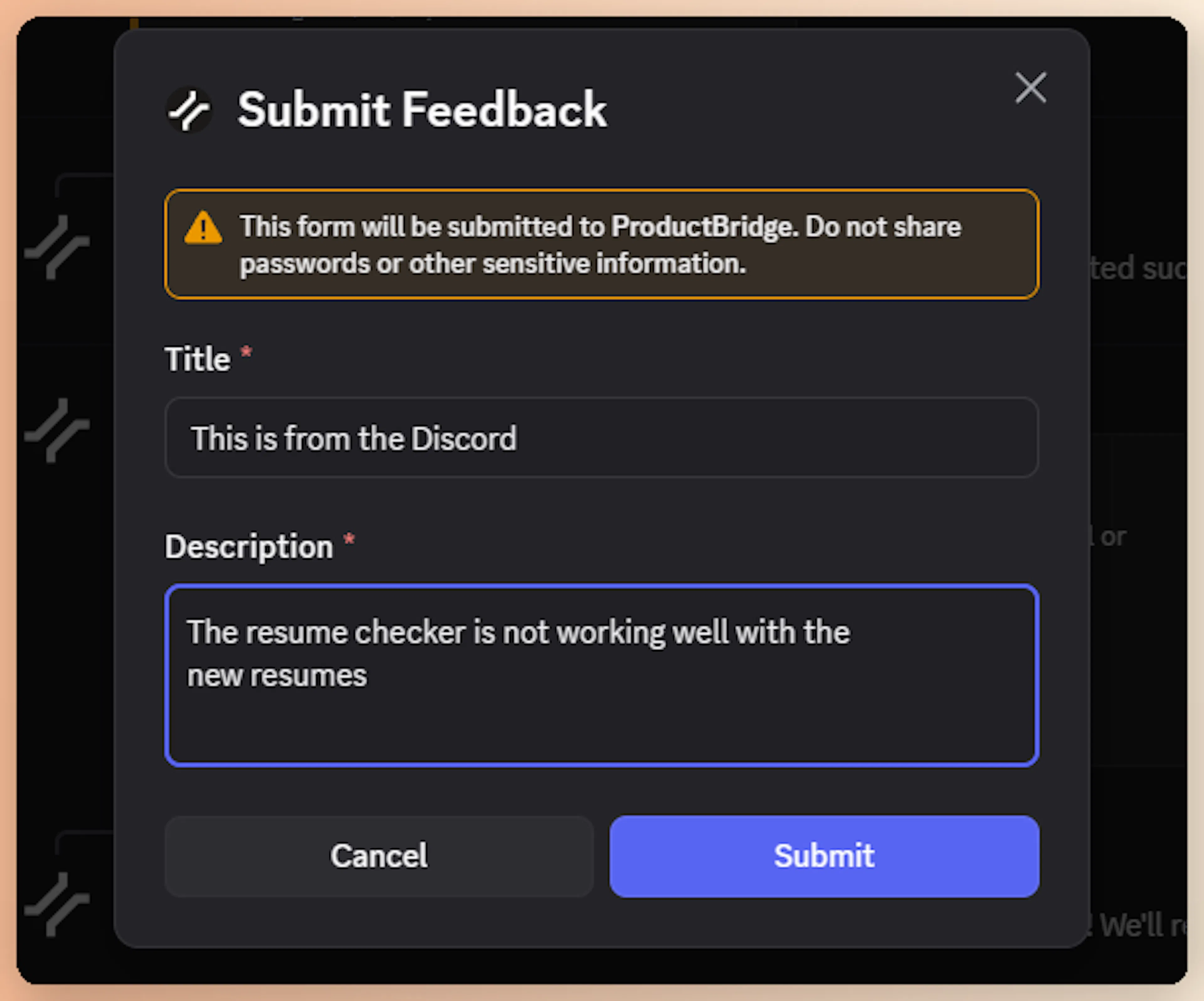
Discord opens a modal form with two fields:
| Field | Required | Limit |
|---|---|---|
| Title | Yes | Up to 150 characters |
| Description | Yes | Up to 3,000 characters (multi-line supported) |
Write a clear title and detailed description, then click Submit.
Get Confirmation
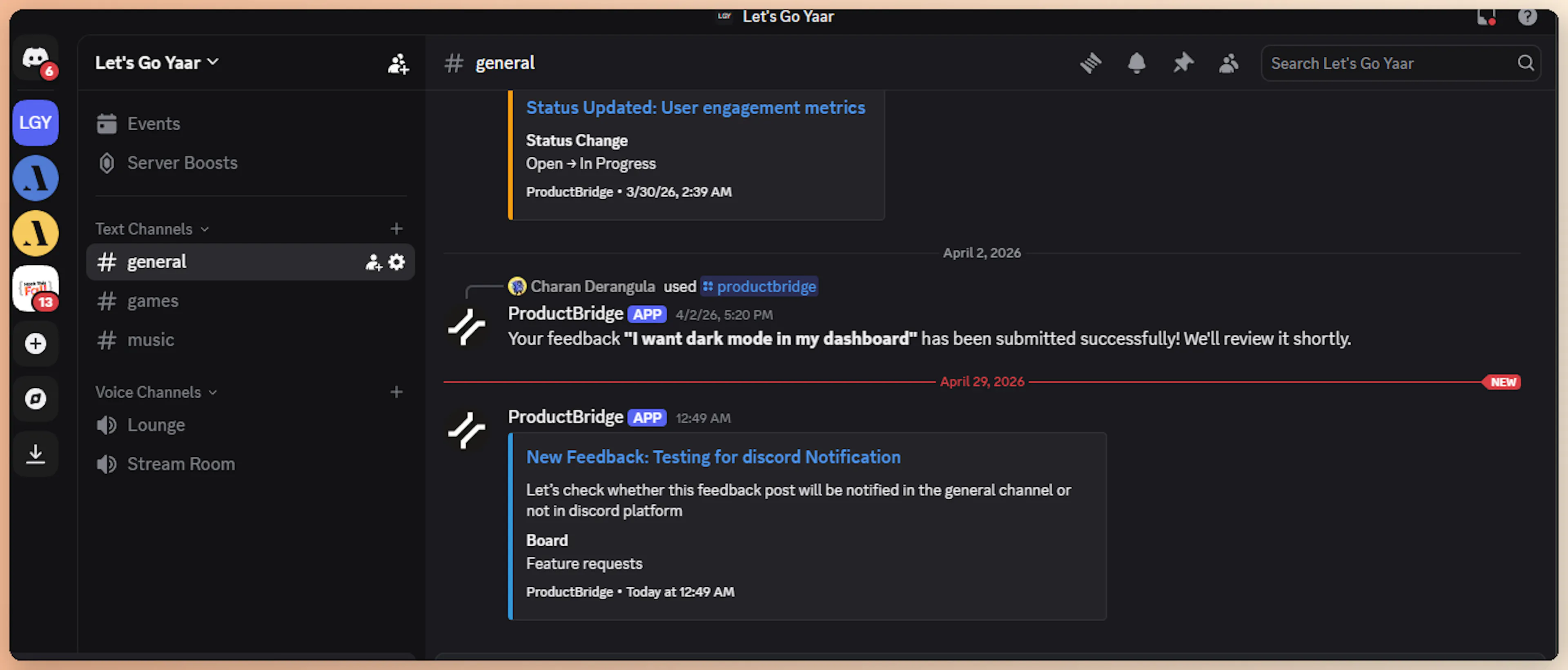
Discord briefly shows a "thinking" indicator while ProductBridge processes the submission. Once the feedback is captured, Discord replaces the indicator with a confirmation message:
Your feedback "Dark mode for the dashboard" has been submitted successfully! We'll review it shortly.
The confirmation is ephemeral — only the submitter sees it, keeping channels clean.
Because the slash command captures intent explicitly, ProductBridge skips AI feedback detection for Discord submissions and assigns 95% confidence by default. The submission still flows through the AI pipeline for extraction, deduplication, and routing — so duplicates are caught, and posts land in the correct board automatically.
Configure Notifications
The Discord integration also pushes outgoing notifications about ProductBridge activity into your server. Configure notification channels on Connect Sources > Discord.
Notification Channels
You can map ProductBridge events to one or more Discord channels. For each channel, choose:
-
Channel — Select any text or announcement channel where the bot has permission to post
-
Events — Pick which events trigger notifications in that channel
-
Board Filter — Optionally restrict notifications to specific boards (empty = all boards)
Send new_feedback events to a #feedback-firehose channel for product managers, and changelog_published events to a #announcements channel for the wider team.
Supported Events
| Event | Description |
|---|---|
new_feedback | Posted when new feedback is submitted (from any source) |
status_change | Posted when a feedback status changes (e.g., Open → In Progress) |
vote_milestone | Posted when a feedback post reaches a configured vote threshold |
new_comment | Posted when a comment is added to a feedback post |
changelog_published | Posted when a changelog entry is published |
new_roadmap | Posted when a new roadmap post is created |
roadmap_status_update | Posted when a roadmap item's status changes |
Notification Format
Notifications are rendered as Discord rich embeds, color-coded by event type:
| Event | Embed Color |
|---|---|
| New feedback | Blue |
| Status change (in progress / generic) | Orange |
| Status change (completed) | Green |
| Vote milestone | Purple |
| New comment | Gray |
| Changelog published | Dark green |
| New roadmap post | Blue |
| Roadmap status update | Teal |
Each embed includes the relevant title, description preview, board name, and a link back to the feedback post in ProductBridge.
How Feedback Is Processed
When a member submits feedback via /productbridge, ProductBridge runs the same AI pipeline used by other integrations — minus the detection step (since the user has explicitly submitted feedback):
| Stage | What Happens |
|---|---|
| Normalize | Modal fields, server/channel info, and submitter identity are combined into a structured format |
| Detect | Skipped for slash commands. Confidence is auto-set to 0.95 with feedback_type = user_submitted |
| Extract | LLM refines the title and description, extracts sentiment, priority, feature area, pain points, and customer impact |
| Deduplicate | Semantic search (Voyage AI + Qdrant) checks for similar existing posts. If similarity ≥ 0.85, votes on the existing post instead of creating a duplicate |
| Organize | LLM assigns the right board, category, and tags |
Discord feedback is tagged with source: discord and source_type: integration. Each post stores the originating server ID, channel ID, and submitter Discord user ID for traceability.
Security
The Discord integration verifies every incoming interaction using Discord's official Ed25519 signature scheme. Each request from Discord includes:
-
X-Signature-Ed25519— Cryptographic signature -
X-Signature-Timestamp— Request timestamp
ProductBridge validates both before processing any interaction, rejecting any request that fails signature verification.
Bot tokens, OAuth access tokens, server IDs, and application IDs are all encrypted at rest using Fernet symmetric encryption with a server-managed key.
Limitations
Slash command only — Discord feedback can only be submitted through the /productbridge slash command. There is no channel monitoring, emoji reactions, @mentions, or DM support.
-
One server per organization — Connect a different ProductBridge organization for each Discord server
-
No historical backfill — Discord only delivers events in real time. Existing messages cannot be imported retroactively
-
Forum channels not supported — Forum posts are not currently captured as feedback
-
Threads not specially handled — Slash commands work inside threads, but ProductBridge does not assign threads to feedback posts as comments
-
No DM support — The
/productbridgeslash command only works in servers, not direct messages with the bot -
Single command, fixed fields — The modal always asks for Title and Description. Custom fields are not currently configurable
Disconnect
To disconnect Discord, open Connect Sources > Discord and click Disconnect. ProductBridge:
-
Marks the integration as
disconnected -
Stops processing incoming Discord interactions
-
Stops sending outgoing notifications to Discord channels
-
Keeps your existing feedback posts intact (only the live connection is removed)
To fully remove the bot from your Discord server, also kick the ProductBridge bot from your server's member list.